Keeping Two Sites in Sync: My Hugo + VS Code + Copilot Workflow
Story: How I Got Here
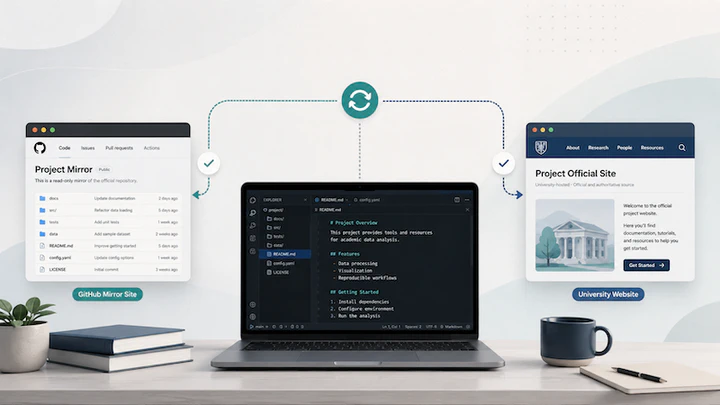
This setup lets me iterate quickly on a GitHub mirror while publishing the official version on my university domain.
In summer 2025, after nearly ten years of intensive administrative work, I finally returned to updating my website. I hit a wall quickly: the Hugo template I had used years ago was no longer compatible with current versions, and the ecosystem had changed significantly.
I had two choices: (1) keep patching and debugging the old setup (which I tried for hours), or (2) rebuild cleanly. Starting over is usually not my style, but this time it was the right call.
I started with Hugoblox, which gave me a working site and GitHub deployment pipeline right away. Since I already maintain a university-hosted site, I kept that as the official destination instead of moving entirely to GitHub Pages.
I cloned the source repo with GitHub Desktop and updated my Hugo settings for two contexts:
- default GitHub-friendly settings (for the mirror site), and
- local deployment settings (for my university server workflow).
In this repo, those settings live in Hugo YAML config files (for example, config/_default/hugo.yaml and config/local/hugo.yaml), not in a single config.yaml file.
I now manage this workflow in VS Code, with GitHub Copilot helping me check config details, draft content updates, and keep the dual-site setup consistent.
Dual-Site Setup
I now maintain two related outputs:
- A GitHub mirror site for easy preview and sharing.
- My official university-hosted site for the final public version.
This gives me fast iteration plus institutional hosting when I am ready to publish.
Folder & Project Structure
WebsiteProjectFolder/                    (main local project folder)
|- public/                               (local Hugo build output)
|- GitHubRepo/ -> [Alias/Symlink] -------+

GitHubLocalRepos/
|- HugoSourceRepo/                       (actual Git clone)
   |- config/
   |  |- _default/hugo.yaml              (default/GitHub-oriented settings)
   |  |- local/hugo.yaml                 (local university deployment settings)
   |- content/                           (Markdown content)
   |- layouts/                           (site templates)
   |- static/                            (static assets)
   |- ...
- The alias/symlink inside
WebsiteProjectFolder/points to the real Git clone. public/stays outside the source repo, so build output is cleanly separated from version-controlled source files.
Current Development Workflow
I used to manually comment/uncomment publishDir to avoid breaking GitHub builds. A cleaner approach is to keep local overrides in config/local/hugo.yaml and apply them only for local builds.
[Edit in VS Code]
  |
  v
hugo server (local preview)
  |
  v
Commit + push (GitHub Desktop)
  |
  v
GitHub mirror updates
  |
  v
When ready: sync local public/ -> university public_html/
This avoids repeatedly editing tracked defaults.
Example commands:
# Local preview with local overrides
hugo server --config config/_default/hugo.yaml,config/local/hugo.yaml

# Default build (GitHub-oriented defaults only)
hugo
VPN + Cyberduck Deployment Workflow
- Connect to university VPN.
- Open Cyberduck and mount the university server.
- Sync local
public/to serverpublic_html/. - Review changes before sync for extra safety.
Copilot in This Workflow
VS Code + Copilot has been genuinely useful for maintaining this setup. In practice, it helps me:
- check Hugo config consistency across files,
- polish post drafts and fix markdown formatting,
- troubleshoot command-line and deployment steps,
- keep documentation aligned with what I actually run.
It does not replace understanding the system, but it significantly reduces friction.
Why This Setup Works for Me
Many colleagues use GitHub Pages or WordPress very effectively. Those are great options. For my needs, this Hugo + GitHub mirror + university deployment model offers the right balance:
- reproducible source-managed content,
- a fast, shareable mirror for feedback,
- and an official university-hosted site for final publication.
At this stage, the system feels stable and sustainable, and day-to-day maintenance is much smoother.